01
Capture
Upload from the record, migrate an archive, or route completed PandaDoc documents to the right CRM record.
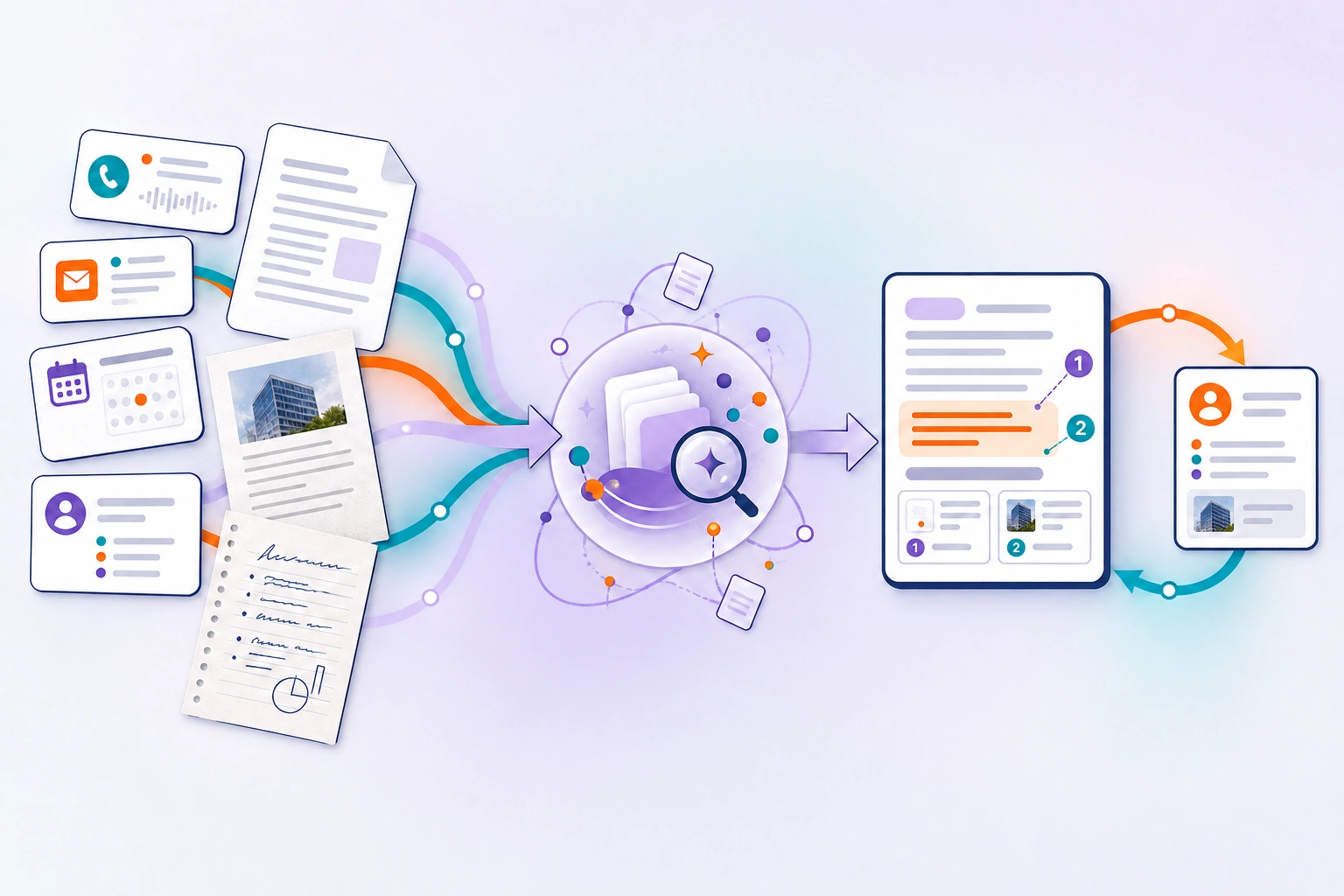
Document AI connects PDFs, scans, photos, and office documents to the CRM record—so your team, workflows, and agents can find the evidence, cite it, and move the work forward together.
The document opportunity
Teams can already see calls, emails, properties, and pipeline activity in HubSpot. But the dates, terms, forms, and supporting records that determine the next move are often buried inside PDFs, scans, photographs, and office documents.
Document AI brings that evidence onto the CRM record—next to the people, process, and action it should inform.
What Document AI makes possible
Start with the workflow that needs help: capture, organization, or exact search. Expand into integrations, workflow actions, and agent tools as the operating model matures.
Upload from the record, migrate an archive, or route completed PandaDoc documents to the right CRM record.
Organize with categories and tags, control access, preserve comments and associations, and keep an auditable document history.
Turn born-digital documents, scans, photographs, tables, forms, and handwriting into searchable, page-aware evidence.
Find exact language, ask questions with citations, and equip agents with purpose-built tools when your team is ready.
One foundation · two experiences
People manage, search, and ask from the HubSpot record. When enabled for the account, six Document AI tools let HubSpot workflows and agents use the same evidence.
Upload, preview, organize, tag, comment, audit, archive, and download documents without leaving the CRM record.
Find exact words or phrases, then open the cited page with the matching passage highlighted.
Ask across indexed documents, get a cited answer, open its sources, and see when coverage is partial.
Index the record’s documents and see which are available.
Find exact language or read a cited passage.
Summarize documents or answer across the record’s documents—with citations.
Lead with the human workflow. Add agent tools when the process, permissions, and data boundary are ready.
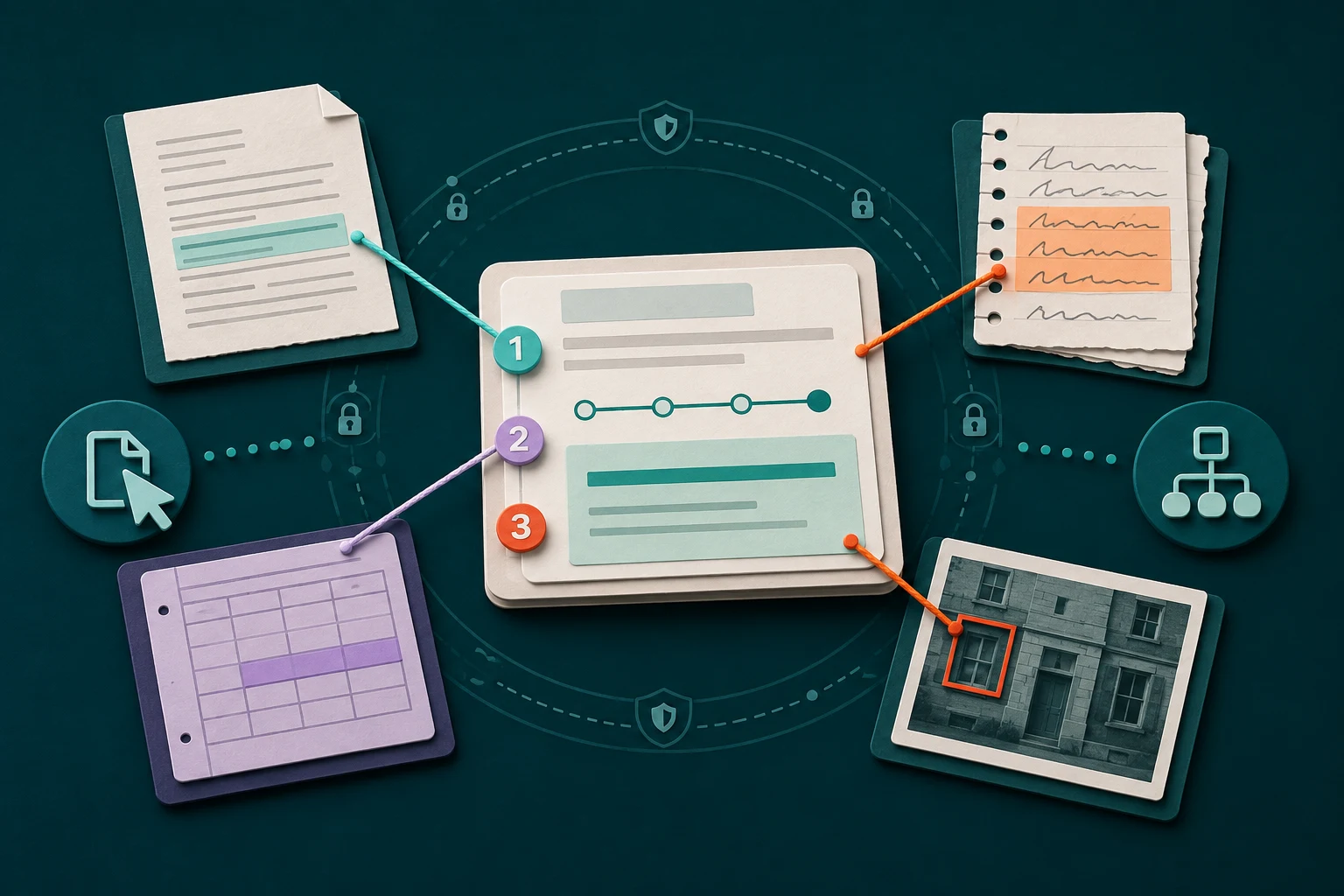
Three-step walkthrough · synthetic contract
Ask about the document. Follow the citation. Check the source.
Give written notice at least 60 days before the current term ends.
[1] Renewal clause · page 4This agreement renews for successive one-year terms unless either party provides written notice of non-renewal at least 60 days before the end of the current term.
Built for sensitive document work
Document AI runs in a HIPAA-aligned, single-tenant AWS architecture covered by an AWS BAA. Human access is tied to the HubSpot account, user, and record, then enforced through role and capability controls; agent access is separately enabled for each account.
Each implementation still requires the right configuration, permissions, and governance.
The partner opportunity
Lead with a problem the client already feels: documents disconnected from the CRM process. Then expand the engagement through configuration, migration, integrations, workflow design, and governed agent use cases.
Checking progress…Find the document bottleneck and the handoffs where work stalls.
Design categories, tags, permissions, associations, and readiness rules around how the team works.
Bring historical archives and document sources into the new workflow.
Launch the human workflow, then add agent tools grounded in cited evidence.
Before you apply
Huify will review your workflow and follow up by email about fit and next steps. The release cohort is for partners and HubSpot teams ready to help shape a rollout around a specific document workflow. We’ll discuss scope, readiness, pricing, and timing before any commitment. You can also book a conversation after submitting; requesting a spot does not commit you to a subscription.
The primary experience lives in the Documents card on HubSpot contacts, companies, deals, and tickets. It adds documents and cited evidence behind the record while keeping HubSpot as the place where teams work.
No. People can manage, search, and review documents from the CRM record without Agent Hub. When enabled for your account, the same six tools can also run as HubSpot workflow actions. Agent Hub is currently in beta; availability depends on your HubSpot subscription, credits, and settings.
Document AI runs in a HIPAA-aligned, single-tenant AWS architecture covered by an AWS BAA. Each client implementation still requires the right agreements, configuration, permissions, and governance.
HubSpot partners with a qualified client—or HubSpot teams with their own visible document bottleneck—and people ready to shape the rollout. Feature availability depends on the workflow, permissions, HubSpot subscription, and data-boundary review.